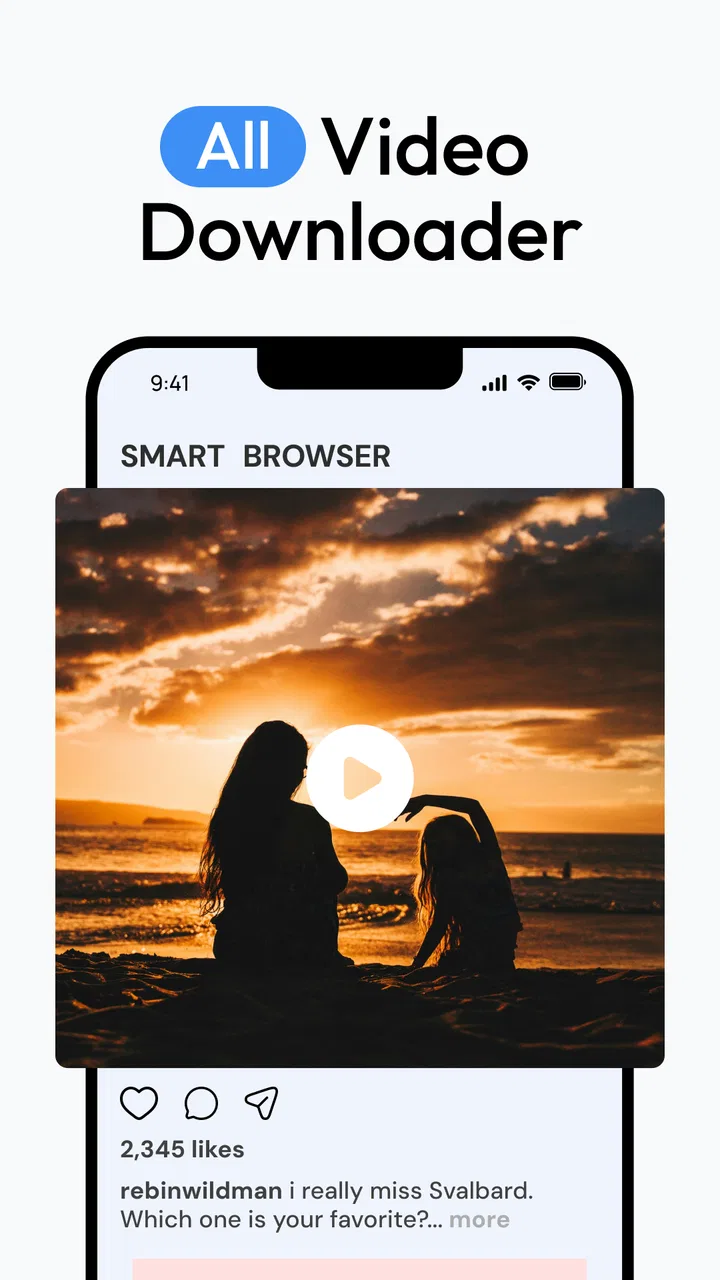
All Video Downloader: Launcher
- 4.0
- Rating
- 5.00M
- Installs
- Free
- Price

 Analysis by App-foxy
I found Video Downloader & Player Home most useful as a simple place to browse, save, and watch video without constantly switching between separate apps. Its appeal is easy to understand: it combines a browser, an ad-blocking function, a downloader, and an HD video player in one package. In my experience, that makes it more convenient than a collection of unrelated tools, although it also means the app is best judged as an everyday utility rather than a full replacement for every streaming or file-management solution.
Developed by The Lucky App, this free video app sits in the video players and editors category. It is rated for Everyone, runs on Android 8.0 and later, and has reached more than five million installs. Those figures suggest that it has found a broad audience, but I would not choose it simply because it is popular. The more important question is whether its combined workflow suits the way you actually handle online video.
How Video Downloader & Player Home fits into everyday video use
I look at this app as a bridge between finding a video and deciding what to do with it next. The useful question is whether that compact path suits your habits, or whether you would be better served by keeping browsing, saving, and playback in separate tools. That distinction also helps clarify where its convenience matters most.
You May Also Like

 Blood Strike: 2.5 Anniversary
Blood Strike’s Loadouts Turn Every Drop Into a Tactical Gamble
A close look at Blood Strike’s custom loadouts: how fast access to signature weapons reshapes its battle royale rhythm, rewards preparation, and narrows the gap between fights.

 Pandora - Music & Podcasts
Pandora’s Music Is Easy to Start, but Harder to Recover
Pandora’s strength is its low-effort path from a seed to a station. Its weak spot is how much confidence it asks you to place in connection, setup, and quiet recovery.

 8 Ball Pool
 Is Built on Rivalries, Rematches, and Routine
A close look at the rivalries, rematches, shared routines, and unanswered safety questions that turn a quick pool match into a persistent mobile community.

 Samsung Music
’s Quiet Strength Is Playing What You Already Own
Its reach comes less from spectacle than from dependable access to a personal library. That simplicity is both the app’s strongest retention engine and its ceiling.

 AccuWeather: Weather Radar
AccuWeather Review: A Quick, Clear Forecast for Everyday Decisions
For everyday plans, the best forecast is the one you can understand quickly. AccuWeather makes rain timing, radar, and local conditions easy to act on, with a few trade-offs.

 Hill Climb Racing
Why Hill Climb Racing Still Turns Crashes Into One More Run
A tiny car, a bumpy hill and one more upgrade: Hill Climb Racing keeps resurfacing because its simple chaos makes every near-miss feel personal.
More From Our News Desk



A practical combination of browsing and playback
The strongest part of the experience is the decision to put browsing and playback close together. With a conventional setup, I might open a browser, deal with a crowded page, save a file through a separate tool, then search through the phone’s folders to find it. Video Downloader & Player Home is designed to reduce those steps. That is especially handy when I want to watch something later rather than keep a browser tab open.
The built-in ad-blocking function also changes how pages feel. It is not merely a cosmetic addition when a video page is surrounded by distracting elements. A cleaner browsing screen makes it easier to identify the actual media control and reduces the chance of tapping something unrelated. I still treat ad blocking as a convenience rather than a guarantee that every page will behave perfectly, because websites do not all present video in the same way.
The HD player gives the app a second useful role after downloading. I do not have to leave the app immediately just to check whether a saved clip plays correctly. That quick preview is a small but valuable part of the workflow: if a file is incomplete, incompatible, or simply not what I expected, I can discover that before moving it into another folder or sharing it with someone.
Where it feels better than the usual alternatives
Compared with using a standard mobile browser alone, the app is more focused on saving material for later viewing. A browser is still the better choice for general research, account-based services, shopping, and pages that depend heavily on advanced web features. For a person whose main task is finding a video and keeping a local copy for convenient playback, however, a dedicated downloader and player feels less cluttered.
Compared with a separate downloader plus a separate media player, the main advantage is continuity. I can discover content, attempt to save it, and test the result in one place. That matters on a phone with a messy file system, where the real annoyance is often not downloading but locating and identifying the file afterward.
There is also a useful middle ground between streaming and permanent organization. I might save a tutorial before a train journey, preview it while connected, and then watch it later without depending on a live page. That is not the same as building a carefully tagged media library, but it is more convenient than repeatedly searching for the same page.
Small workflow habits that make a difference
My first recommendation is to use the player as a verification step rather than assuming every download is ready. After saving a video, I would open it immediately and check the beginning, the picture, and the sound. This catches problems while the source page is still fresh in my mind and avoids confusing a failed download with a playback issue.
A second useful habit is to separate temporary saves from videos I genuinely want to keep. The app is convenient for short-term offline viewing, but a phone can become difficult to manage when every downloaded clip remains mixed together. I would periodically remove files I have already watched and move important material into a clearly named folder through the phone’s normal file tools.
A third trade-off concerns quality. HD playback is welcome when the source offers a suitable version, but higher-quality video also consumes more storage and may take longer to save. For a short clip, the difference may not matter. For a long lesson or travel video, a slightly smaller file can be the more sensible choice if storage space is limited.
These habits are not flashy features, but they are where the app becomes more useful in real life. The combination of a browser and player reduces friction; sensible file checking and cleanup prevent that convenience from turning into a disorganized download folder.
A realistic day-to-day example
Imagine I am preparing for a long bus trip. I find several instructional videos that I want to watch during the journey, but I do not want to depend on a weak mobile connection. I can use the in-app browser to locate them, save the ones that are available through the app’s workflow, and open each result in the built-in player before leaving home.
That last step is important. A title or thumbnail can be misleading, and a saved file is not useful if it has no sound or stops partway through. By checking the clips while I still have time to try again, I turn the app into a preparation tool rather than a last-minute gamble. I would also avoid downloading everything in the highest quality simply because the option appears attractive; a trip playlist should fit comfortably within the available storage.
For this scenario, the app is more convenient than relying on browser bookmarks. Bookmarks preserve access to a page, not necessarily access to the video when connectivity is poor. It is also less complicated than installing multiple utilities for downloading and playback. The limitation is that the workflow depends on how the particular website presents its content, so I would not assume every online video can be handled identically.
The main limitation: convenience does not mean universal compatibility
The biggest weakness is the gap between the app’s straightforward purpose and the messy variety of modern video websites. Some pages are simple and expose media in a way that a downloader can recognize. Others use complicated players, protected streams, login requirements, or page structures that do not cooperate with third-party saving tools. When the app cannot identify a video cleanly, the experience can become trial and error.
This is the point where a user may expect more certainty than the app can reasonably provide. A built-in browser and ad blocker can make a page easier to navigate, but they do not automatically make every source downloadable. I would therefore see the app as a practical option for compatible content, not as a universal method for copying anything found online.
There is another form of friction in combining several jobs inside one app. A dedicated media player may offer more specialized library controls, while a full browser may handle complex websites more reliably. Video Downloader & Player Home is strongest when convenience matters more than deep customization. If I wanted advanced sorting, detailed playback controls, or a carefully managed collection, I would probably prefer a specialist tool alongside the phone’s regular browser.
The presence of in-app purchases also affects how I evaluate the free download. The app itself is free, while optional purchases range from $4.99 to $9.99 per item. That does not make the basic installation unattractive, but I would pay attention to which functions are available without spending money before building my entire video routine around it. A free starting point is useful; a user should still know whether the features they value most remain comfortable in the unpaid experience.
Privacy and responsible downloading deserve attention
Whenever I use a browser that can save media, I think about two separate issues: personal browsing habits and the rights attached to the content. A cleaner page is convenient, but I would avoid entering sensitive account details casually into unfamiliar pages just because they open inside a downloader. For banking, private accounts, or other important services, the phone’s established browser remains my safer default.
Downloading is also not automatically the same as having permission to reuse a video. I would use the app for material I am allowed to save, such as my own uploads, openly downloadable resources, or content whose creator permits offline copies. That distinction matters particularly if I plan to share, edit, or repost a file. The app can simplify a technical action, but it does not change the creator’s rights or the terms attached to a service.
For families, the Everyone age rating makes the app approachable, but I would still explain browsing basics to younger users. An ad blocker can reduce some distractions, yet it does not turn the entire internet into a controlled children’s environment. Parents should remain involved in deciding which sites are appropriate and what gets downloaded.
Who should use it, and who should choose something else?
I would recommend it to someone who wants a straightforward video downloader with a built-in player and a less cluttered browsing experience. It is particularly suitable for people who save occasional tutorials, reference clips, lessons, or travel viewing and do not want to assemble a multi-app setup. It also makes sense for users who often need to preview a saved file immediately instead of hunting through a file manager.
It is a good fit for Android users on older supported phones as well, since the minimum requirement is Android 8.0. That does not promise identical performance on every device, but it keeps the app accessible to people who are not running the latest operating system. The current version is 2.3, so I would keep the app updated through the normal store process when updates are available.
I would be more cautious about recommending it to someone who mainly watches subscription services inside their official apps. Official platforms usually provide the most reliable account support, playback behavior, and legitimate offline options for their own catalogs. In that situation, adding a separate downloader may create more confusion than value.
I would also point advanced users toward a dedicated media player if they care about a highly organized library, extensive format controls, or detailed playback customization. Likewise, people who browse complex websites all day may prefer their familiar full browser and use a separate player only when necessary. This app’s advantage is a compact workflow, not specialist depth in every area.
My experience with the app’s overall value
The four-point average from around six thousand eight hundred ratings gives a reasonable impression of an app that many people find useful, though not flawless. I read that as consistent with my own view: the concept is practical, the core combination makes sense, and the rough edges appear when a website does not cooperate or when a user expects a complete media-management system.
The developer, The Lucky App, has positioned the product around a clear everyday need rather than a complicated editing suite. That focus helps the app feel approachable. I do not open it expecting professional video editing, elaborate catalog tools, or a replacement for every official streaming application. I open it when I want a cleaner route from finding a video to checking it in a player.
The best evidence in its favor is how many small steps it can remove from a common task. The browser helps with discovery, the ad-blocking function reduces page clutter, the downloader handles saving, and the player provides an immediate check. None of those parts is revolutionary on its own, but together they form a useful chain for offline viewing.
The meaningful weakness is that the chain is only as strong as the source page allows. When a site uses an unusual player or restricts access, the app cannot turn that into a simple download. Users who understand that boundary will probably find the experience more predictable than users who interpret “video downloader” as a promise of universal compatibility.
Final recommendation
Video Downloader & Player Home is worth trying if convenience is your priority. I like it as a compact Android tool for browsing, saving compatible videos, and checking them in an HD player without immediately jumping between applications. Its free entry point and Everyone rating make it easy to approach, while the optional purchases mean I would review the available functions before paying for anything.
My recommendation is specific: use it for occasional offline preparation, personal reference material, and simple video handling, then keep your expectations realistic about difficult websites and protected content. Test each saved file, manage storage deliberately, and use official apps when they offer the better-supported way to watch a service’s own videos.
After more than five million installs, the app has clearly attracted broad interest, but popularity is not its main selling point for me. Its real value is the tidy connection between browsing and playback. If that is the gap in your current routine, this app can fill it well. If you need a powerful media library, advanced browser behavior, or dependable access to every streaming platform, a more specialized alternative will be the better choice.
FAQs for All Video Downloader: Launcher
01What video formats does Video Downloader & Player Home support?
Video Downloader & Player Home supports a wide variety of video formats, including MP4, AVI, MOV, and MKV, among others. This ensures that users can download and play most video files without needing to convert them, providing a seamless viewing experience across different devices.
02Is Video Downloader & Player Home safe to use?
Yes, Video Downloader & Player Home is designed with user safety in mind. The app is regularly updated to address any security vulnerabilities and does not contain any harmful malware. However, it is always recommended to download the app from official app stores to ensure authenticity and security.
03Does the app support downloading from all video platforms?
While Video Downloader & Player Home supports a broad range of popular video platforms, there may be some sites that are not supported due to platform restrictions or technical limitations. Users are encouraged to check the app’s website or user guide for a list of compatible platforms.
04Can I use Video Downloader & Player Home offline?
Yes, once videos are downloaded using Video Downloader & Player Home, they can be accessed and played offline. This feature is particularly useful for users who plan to watch videos on the go without relying on an internet connection.
05Are there any in-app purchases or subscription fees?
Video Downloader & Player Home offers a free version with basic features. However, there are in-app purchases available for users who wish to unlock premium features, such as ad-free experience, enhanced download speeds, and additional format support. These purchases are optional and not required for basic functionality.
Pros
- Supports multiple video formats.
- High-speed downloads without lag.
- User-friendly interface design.
- Background download capability.
- No intrusive ads while using.
Cons
- Requires in-app purchases for some features.
- Limited editing tools for videos.
- Certain formats need conversion.
- No cloud integration options.
- Occasional app crashes reported.

All Video Downloader: Launcher
Gallery